
SketchBots: QR Codes Are Here!
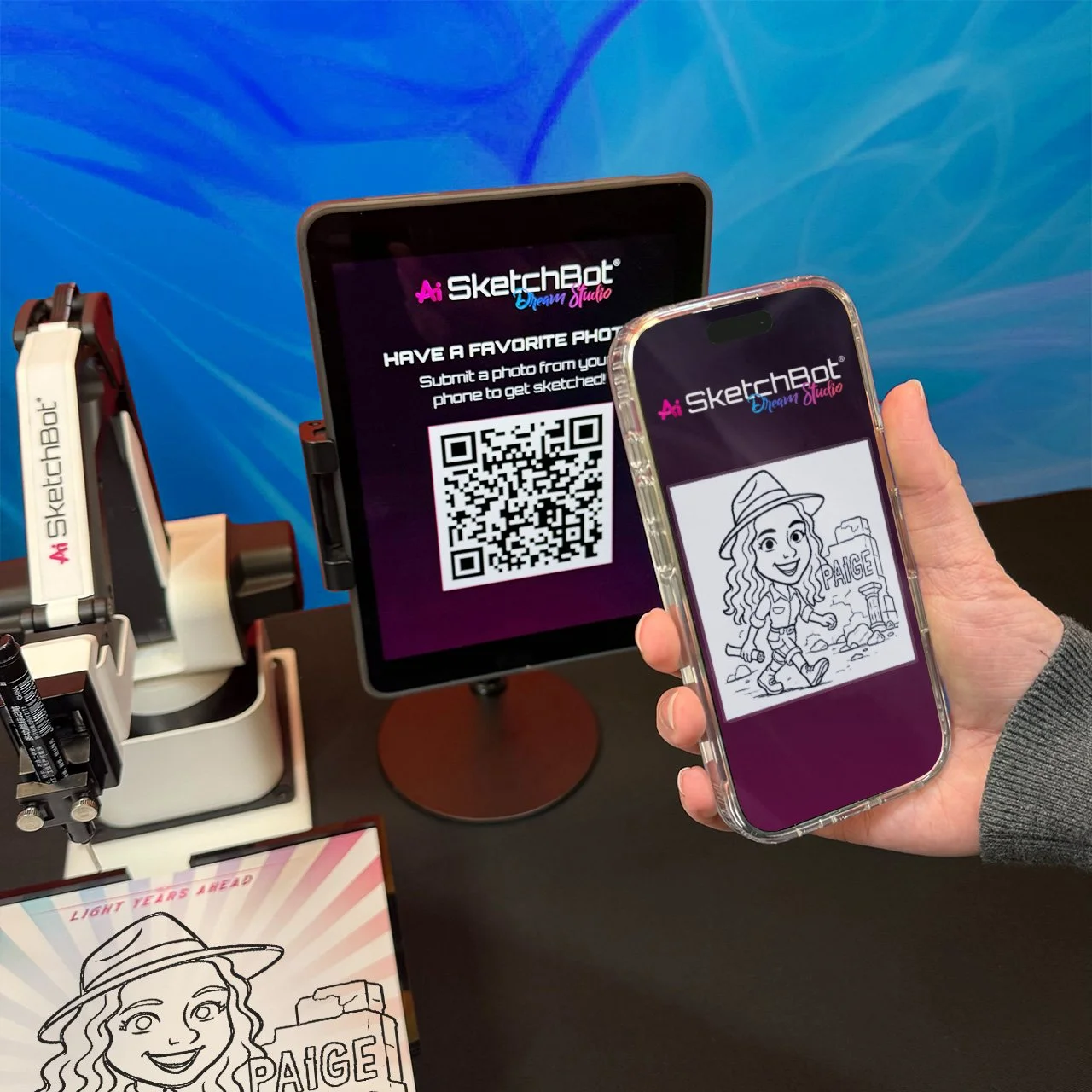
If you’re already familiar with SketchBot, you know how it captures the room's attention. But we’ve taken things to a whole new level. The latest update to the SketchBot software introduces a QR code upload feature that completely changes how your guests interact with the drawing robot.
The New QR Code Feature: Your Phone is the Remote
The newest update to the SketchBot software is the QR code feature. All you have to do is scan a quick QR code with your phone. This opens a link that lets you choose any photo you already have on your camera roll. Once you pick your favorite, the SketchBot gets to work. It’s fast, easy, and feels like magic!
Portraits for Everyone (Even Pets!)
Because you can pick any photo from your phone, the options are endless. You can submit a favorite photo of your child or pet to be sketched. Whether it’s a funny picture of your dog or a sweet photo of your kids, the drawing robot can handle it. This is a great feature for additional fun and versatility, making sure everyone gets a sketch they want to keep.
Share Your Sketch in Seconds
The fun doesn't end when the robot stops drawing. While you get a cool paper sketch to take home, the SketchBot software creates a digital version too!
Sharing is just as easy as uploading. Guests can download their digital sketches and post them to their socials in seconds. Your friends won't believe a robot drew your portrait!
Why People Love SketchBot:
Simple to Use: A quick QR scan lets anyone join the fun from their phone.
Super Fast: The bot creates beautiful sketches in about a minute.
Personalized: Use your own favorite photos for a one-of-a-kind result.
If you want your next event to be unforgettable, SketchBot is the way to go. It’s the perfect mix of art and technology that will have all your guests talking!
